Response Functions
Cyclone Manual - Response Functions
Response functions can be inserted directly into an MCNP input through the Code Editor. New response functions can be created or imported.
Single Response Function Example
JSON1{ 2 "Name": "ICRP74 Neutron", 3 "Radiation Type": "neutron", 4 "Energy Values": [1.0e-9, 1.0e-6, 1.0e-3, 1.0, 10.0], 5 "Response Values": [2.1e-8, 5.6e-7, 4.3e-5, 2.5e-2, 1.2e-1], 6 "Reference": "ICRP Publication 74, Conversion Coefficients for Use in Radiological Protection" 7}
Multiple Response Functions Example
JSON1{ 2 "responses": [ 3 { 4 "Name": "ICRP74 Gamma", 5 "Radiation Type": "photon", 6 "Energy Values": [0.01, 0.1, 1.0, 10.0], 7 "Response Values": [0.0012, 0.0085, 0.012, 0.011], 8 "Reference": "ICRP Publication 74" 9 }, 10 { 11 "Name": "ICRP74 Electron", 12 "Radiation Type": "electron", 13 "Energy Values": [0.01, 0.1, 1.0, 10.0], 14 "Response Values": 0.0005, 0.002, 0.006, 0.009 15 } 16 ] 17}
Required Fields
Each response function must include:
-
Name – Unique identifier for the response function.
-
Radiation Type – The type of radiation (e.g. "neutron", "photon", "electron").
-
Energy Values – Array of energies (in MeV). Must be strictly increasing.
-
Response Values – Array of dose conversion coefficients corresponding to the energy values.
Note: The number of entries in Energy Values must match the number of entries in Response Values.
Import Process
-
Open the Response Function Database.
-
Click the Import Response Function button (bottom-right).
-
Select a JSON file.
-
The file will be validated:
-
Every entry must have a name.
-
Radiation Type, Energy Values, and Response Values must all be present.
-
Length of Energy Values and Response Values arrays must match.
-
Successfully imported response functions are stored in local storage under "response functions".
After Import
-
Imported response functions appear in the database.
-
They can be selected and inserted directly into input decks in either row format (DE/DF) or column format.
-
They can also be exported again in JSON format for reuse.
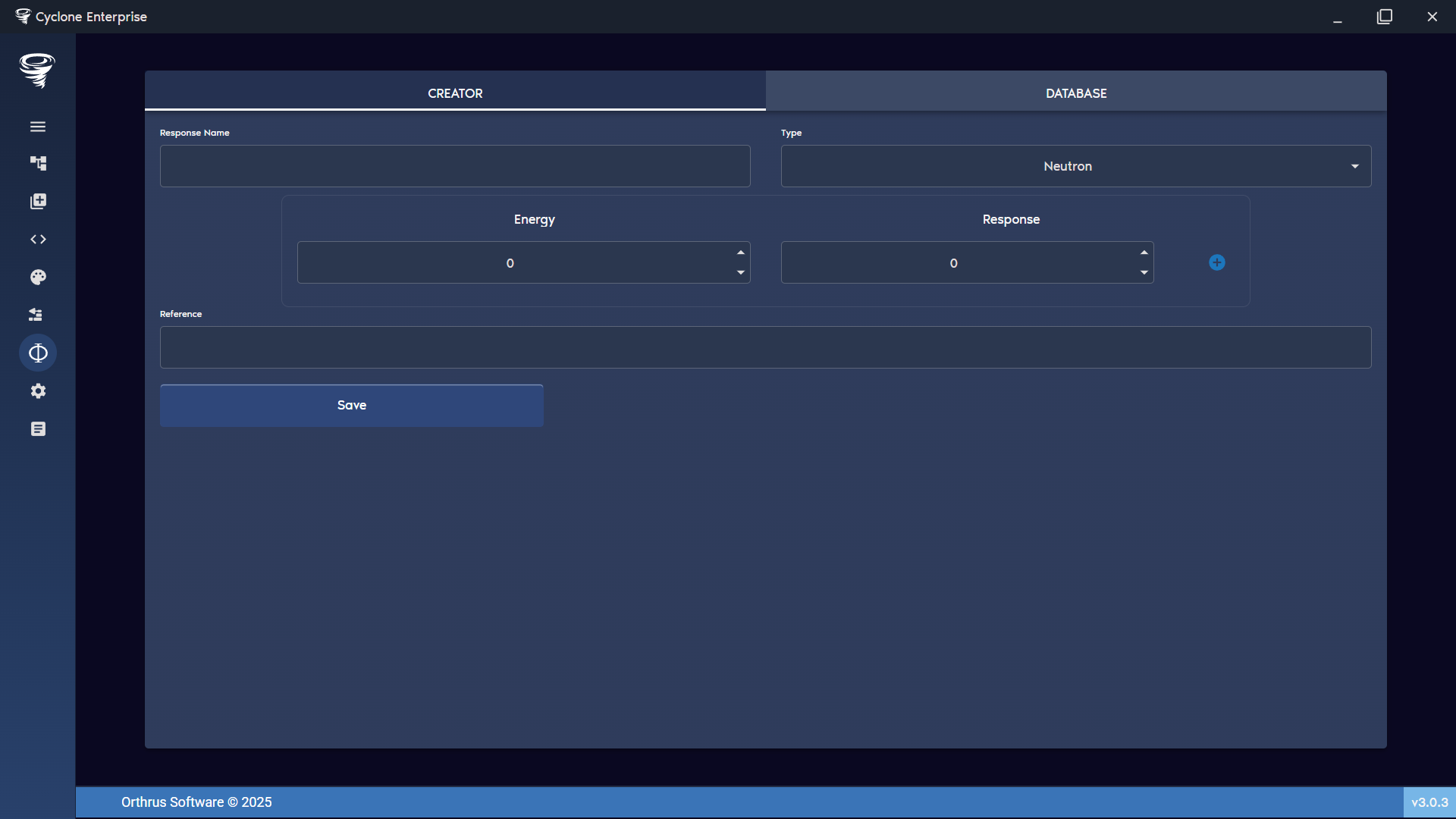
Figure 97: Response functions – creator
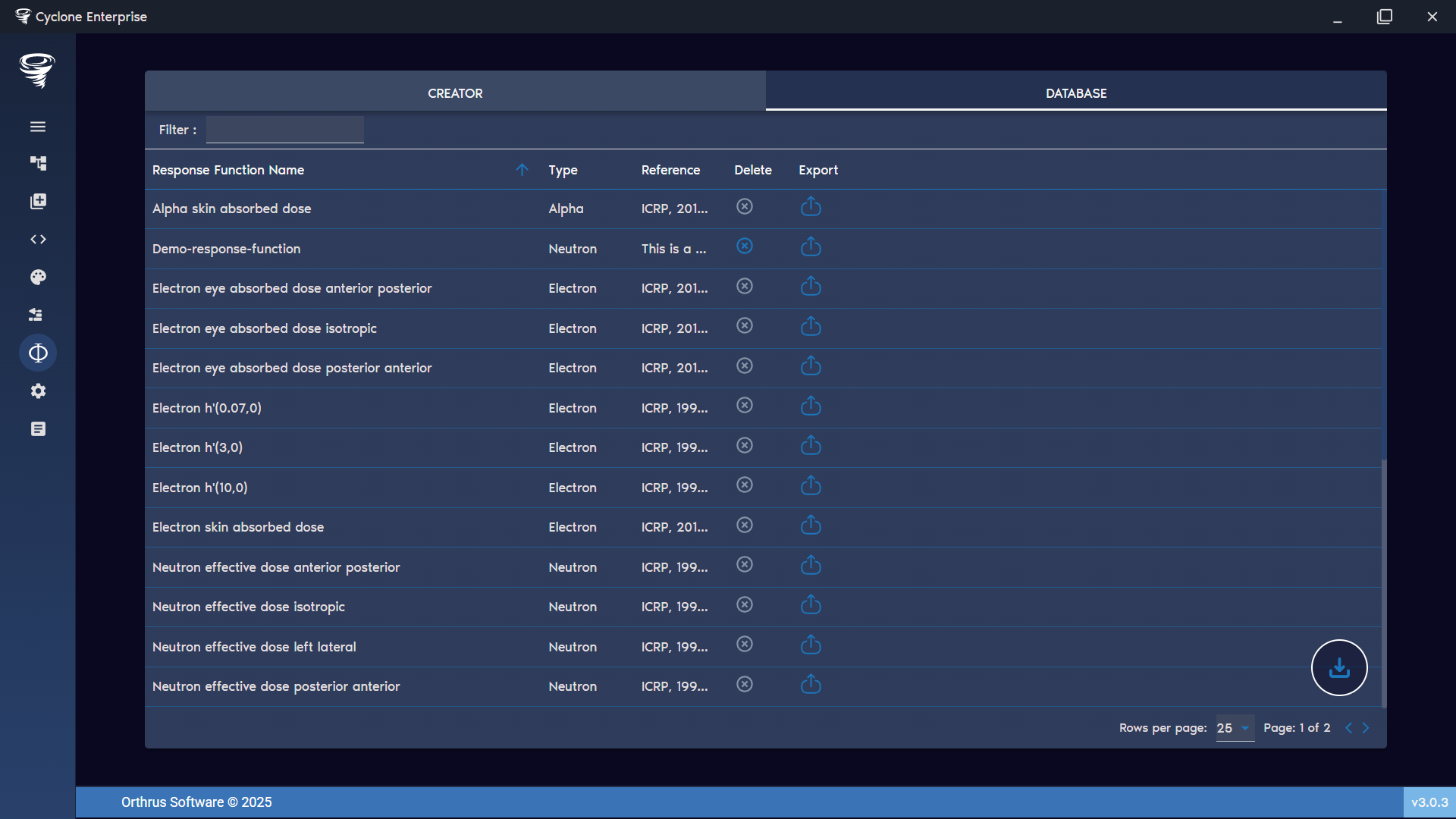
Figure 98: Response functions – database